Why the jargon matters right now
Parents I talk with say the same thing: you want your child safe on the bus, but the technology terms sound like another language and that keeps you from asking the right questions. That gap leads to missed safety checks, unclear video access, and confusion about who sees what and when. Practical steps start with clear definitions, and if your district uses tools for school bus fleet management, knowing the words helps you push for useful policies.
Core terms you’ll hear and what they mean
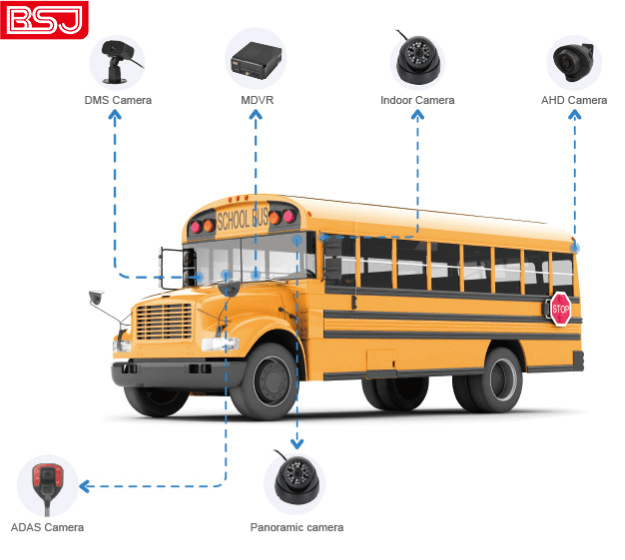
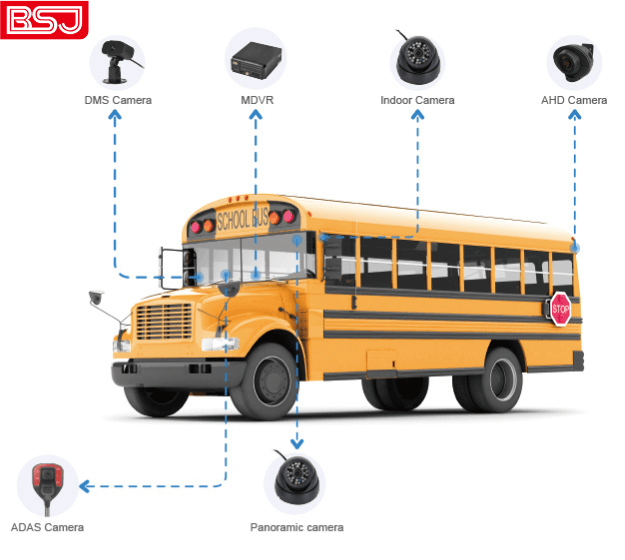
MDVR (Mobile Digital Video Recorder) — A device in the bus that records video from onboard cameras. Think of it as the bus’s memory. AI MDVR — An MDVR that uses algorithms to flag events (hard braking, doors opening, unusual motion) so staff can review important clips faster. It doesn’t replace human review; it filters the pile. Vehicle Video Monitoring System (VMS) — The full setup: cameras, MDVR, storage, and software used by the school or vendor to view footage. Telematics — Movement and vehicle data (speed, routes, engine diagnostics) combined with video for context. GPS tracking — Real-time location of the bus. If you want alerts when a bus approaches or deviates, this is the feature you’ll ask about; many solutions labeled “school bus gps tracking system” let districts share controlled ETA alerts with families. Retention policy — How long video and data are stored. Short retention means less privacy risk but also less evidence if an incident surfaces later.
Common problems families face — and straightforward fixes
Problem: You can’t see footage after an incident. Fix: Ask your district for the retention period and request preserved clips immediately. Problem: Alerts don’t arrive or are inconsistent. Fix: Verify whether the bus uses live GPS updates and whether your contact info is on file; confirm which events trigger parent alerts. Problem: Cameras don’t cover the right areas. Fix: Ask which views the system records (entrance, aisle, driver, exterior) and request a map of camera coverage. Problem: Data feels unsecure. Fix: Request the vendor’s data access rules and whether footage is encrypted in transit and at rest. Problem: Too much noise from automatic clips. Fix: Ask if AI settings can be tuned to reduce false positives like normal student movement.
Questions to bring to a school meeting
– What exactly records on the bus and for how long is footage kept? – Who can access video and under what circumstances? – Can parents receive route deviation or arrival alerts, and how are they delivered? – Is the system’s AI used only to flag events or to make decisions? – Where is the footage stored and is it encrypted? – Who is responsible for preserving footage after an incident? These questions keep conversation practical and focused on results you can verify.
Quick checklist before you rely on technology
– Confirm the district has written policies you can review. – Get clear contact points for urgent footage requests. – Note any public incidents or pilot projects in your area (for example, fleets in New York City have been testing GPS and camera integrations), so you know what outcomes to expect. – Keep a simple log: date, time, bus number or route, and what you requested—this helps if follow-up is needed.
Putting it together
Start by naming the problem: unclear access, uncertain alerts, or vague retention rules. Use the terms above to make requests specific. When you pair focused questions with a basic checklist, oversight improves and technology serves safety rather than confusion. For practical, parent-level clarity about what systems do and how districts operate them, consider how vendors and districts present features and policies; thoughtful suppliers and administrators make oversight measurable and explainable, much like the sensible solutions offered by BSJ.